9 Campground Website Design Tips That Drive Bookings
Share:


Learn what every campground website needs, including clear rates, detailed campsite pages, mobile friendly design, local SEO, guest reviews, and online booking.
Summarize in


How to Build a Campground Website That Drives More Bookings
A successful campground website should make it easy for guests to explore your sites, compare rates, check availability, understand your policies, and book a stay.
It should also give visitors a clear sense of what it will be like to stay at your campground. Real photos, detailed campsite information, helpful local guides, and a simple booking process can turn someone researching a trip into a confirmed guest.
Your website does not need to be complicated. It needs to answer the right questions, build trust, and make booking feel easy.
1. Make Rates and Availability Easy to Find
Guests want to know whether your campground fits their trip, group size, equipment, and budget.
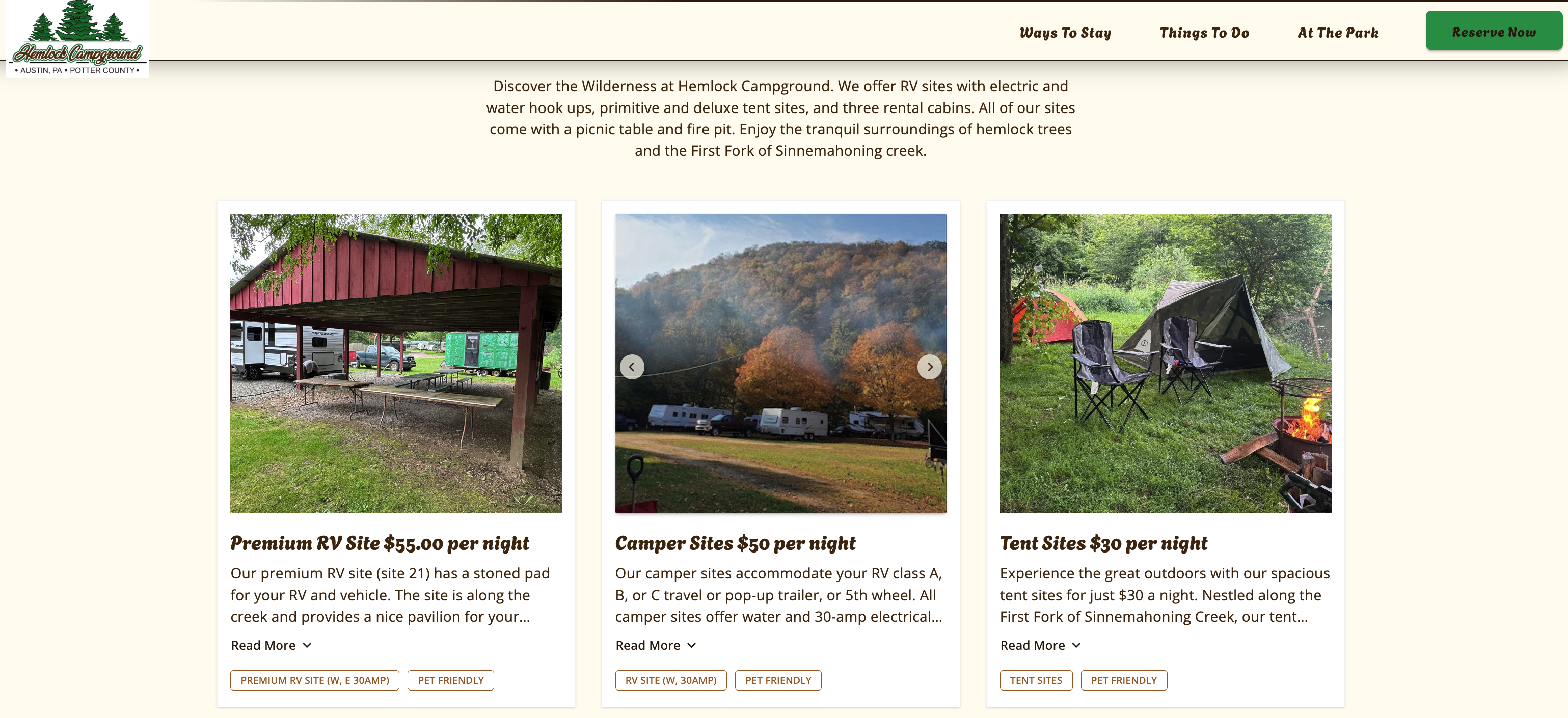
Make rates easy to find instead of requiring visitors to call your office or begin a reservation simply to understand your pricing.
Include helpful information such as:
- Rates for each campsite or accommodation type
- Seasonal pricing
- Minimum stay requirements
- Additional guest or vehicle fees
- Pet fees
- Deposit requirements
- Cancellation policies
- Weekly or monthly stay options
When rates vary, explain what affects the price. This may include the season, day of the week, campsite type, length of stay, or available hookups.
Your booking system should also display current availability so guests can quickly see which options fit their travel dates.
2. Create Detailed Pages for Each Type of Stay
Different guests look for different camping experiences.
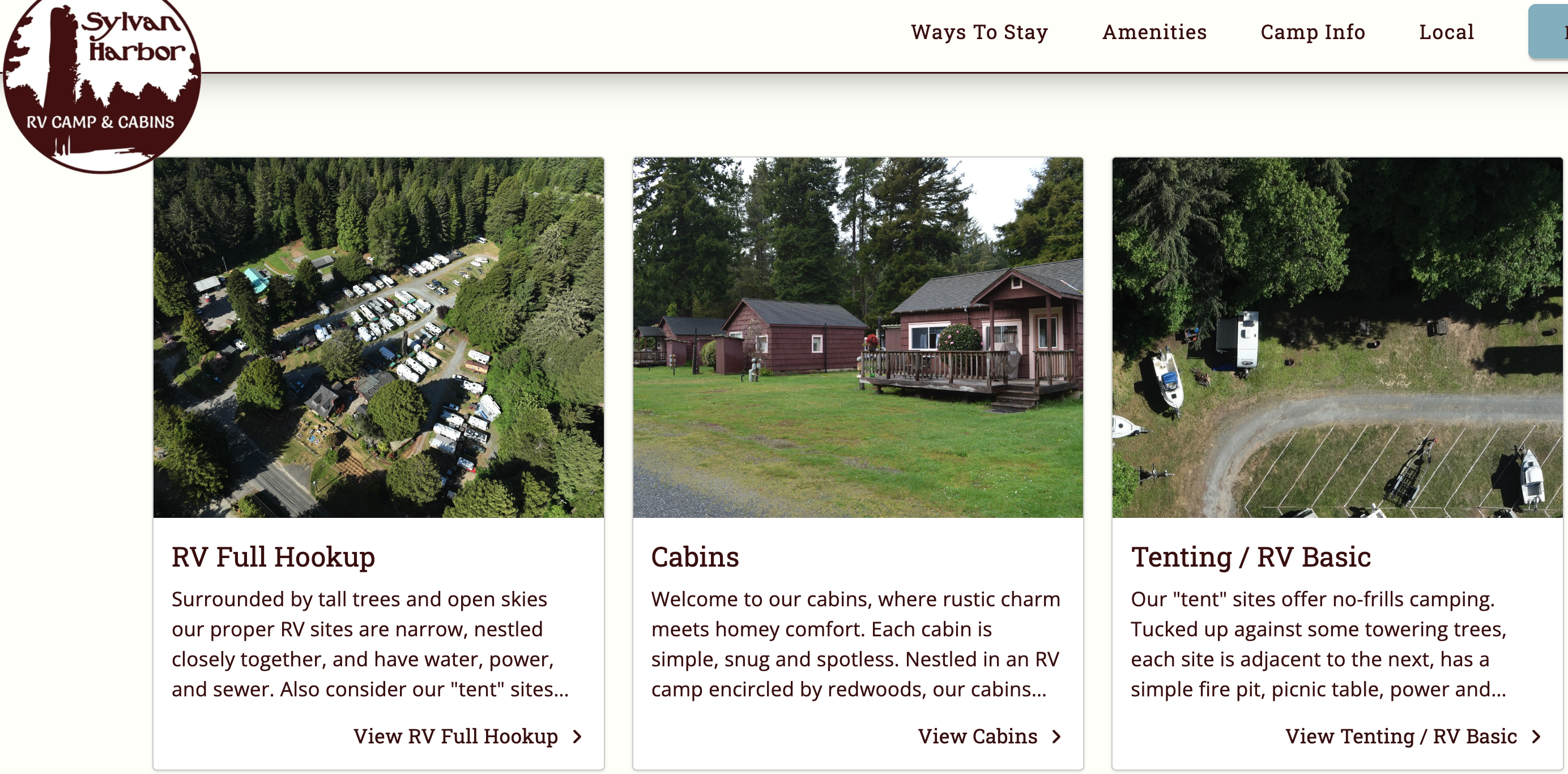
Someone traveling in a large RV needs different information than someone reserving a tent site, cabin, or glamping accommodation. Creating clear sections or pages for each option helps visitors find the details that matter to them.
For RV sites, include:
- Site dimensions
- Maximum RV length
- Pull through or back in access
- Water, electric, and sewer hookups
- Available amperage
- Parking information
- Surface type
- Nearby amenities
For tent sites, explain:
- Tent size limits
- Parking arrangements
- Shade and privacy
- Fire ring or picnic table availability
- Distance to restrooms
- Water access
For cabins or glamping accommodations, include:
- Sleeping arrangements
- Bathroom and kitchen access
- Linens and supplies
- Heating or air conditioning
- Pet policies
- Accessibility information
Detailed pages can help guests select the right option and reduce the number of basic questions your staff receives.
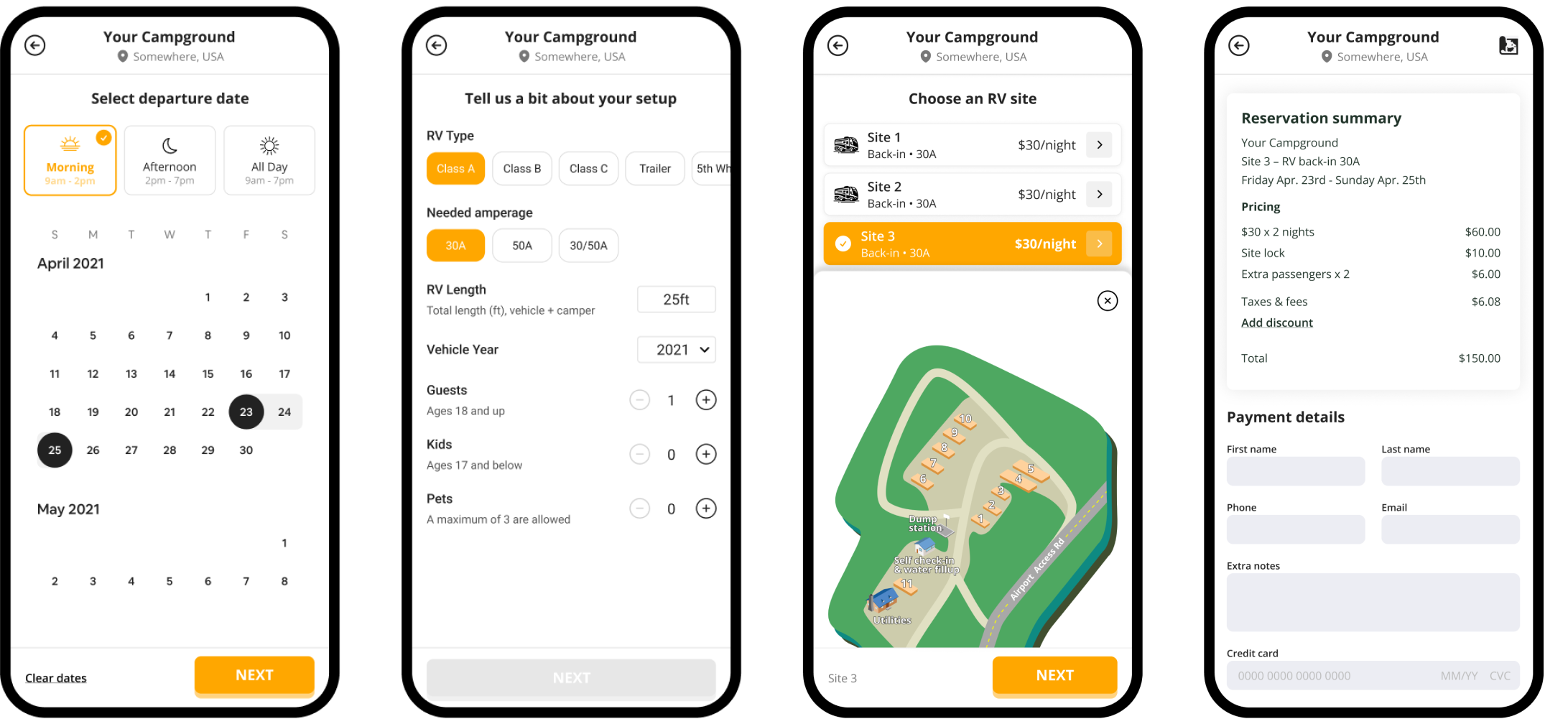
3. Add a Simple Online Booking Experience
Your website is where guests learn about your campground. Your booking system is what turns that interest into a confirmed stay.
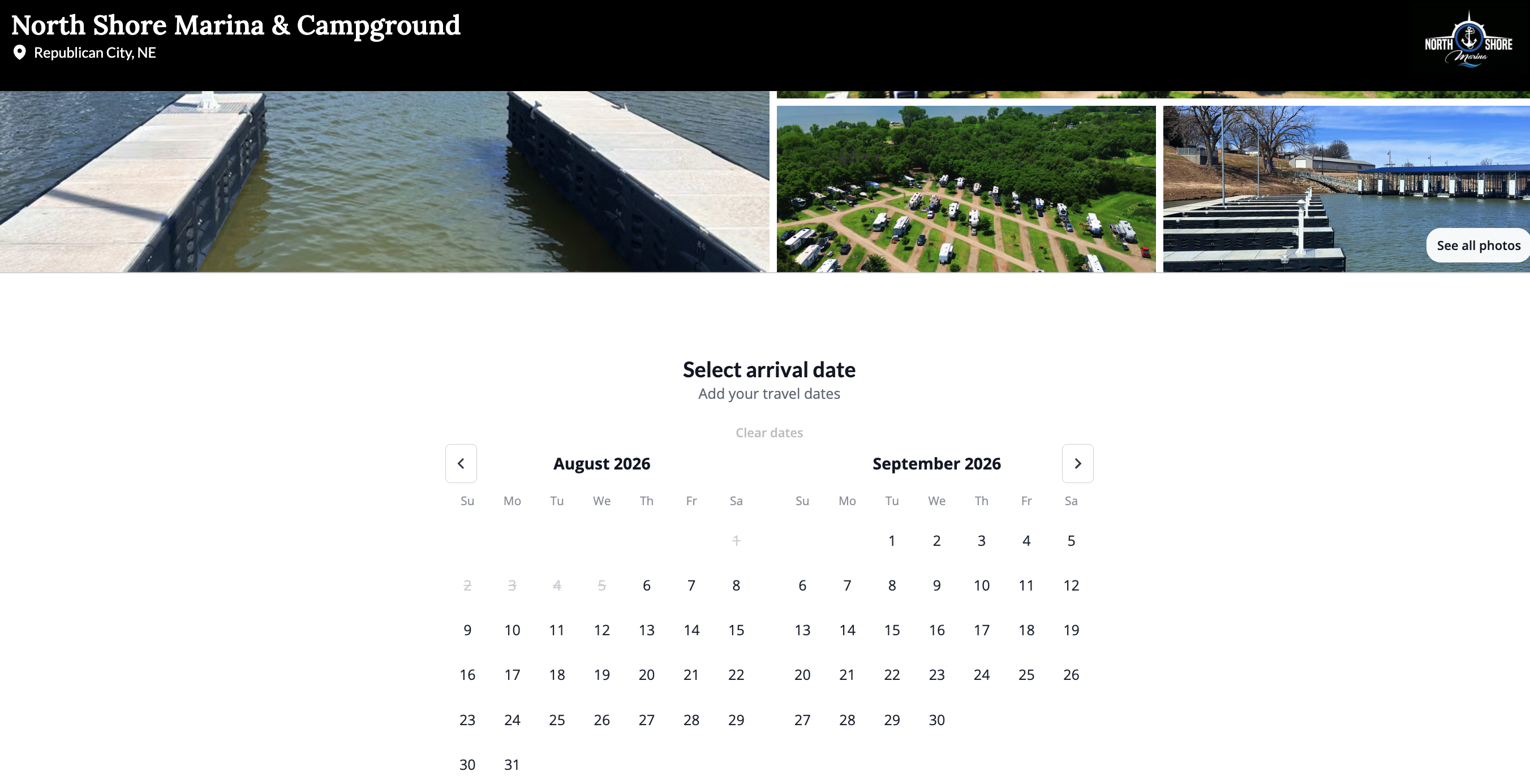
Place a clear Book Now button in the main website navigation and throughout important pages. Guests should not have to search for the next step.
A strong online booking experience should allow visitors to:
- Enter their travel dates
- View available sites
- Compare campsite types
- Review rates and policies
- Enter guest and vehicle information
- Make a secure payment
- Receive a reservation confirmation
Keep the process as simple as possible. Long forms, unclear fees, broken booking links, or confusing instructions can cause guests to leave before completing their reservation.
Your booking process should also work well on mobile devices. Many guests research and reserve campgrounds while traveling or planning from their phones.
4. Use Real Photos and a Detailed Campground Map
Photos and campground maps help guests understand what they are booking.
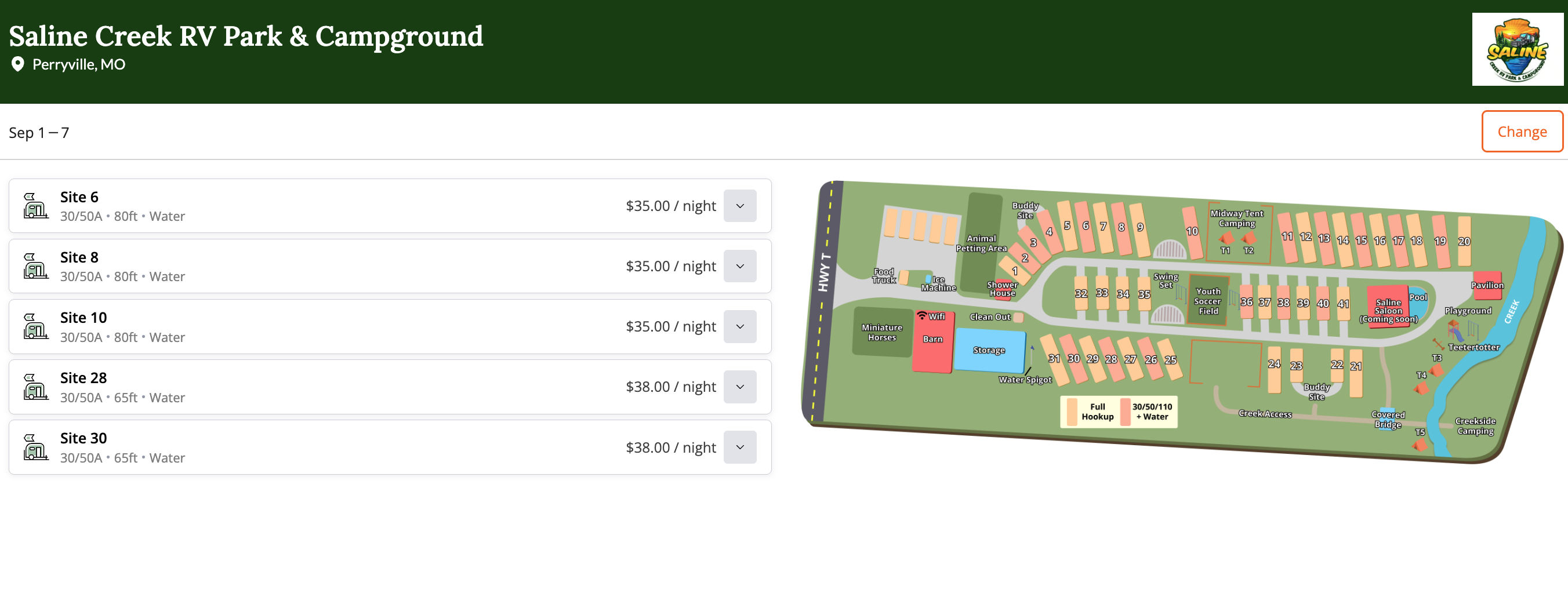
Use recent, high quality images that accurately represent your campground. Include more than scenic landscapes. Guests also want to see individual campsites, roads, hookups, restrooms, cabins, common areas, and other facilities.
Helpful campground photos may include:
- Each campsite type
- RV hookups and utility connections
- Tent camping areas
- Cabins or glamping accommodations
- Restrooms and showers
- Pools, playgrounds, and recreation areas
- Campground roads and entrances
- General stores or check in areas
- Seasonal views
- Nearby outdoor attractions
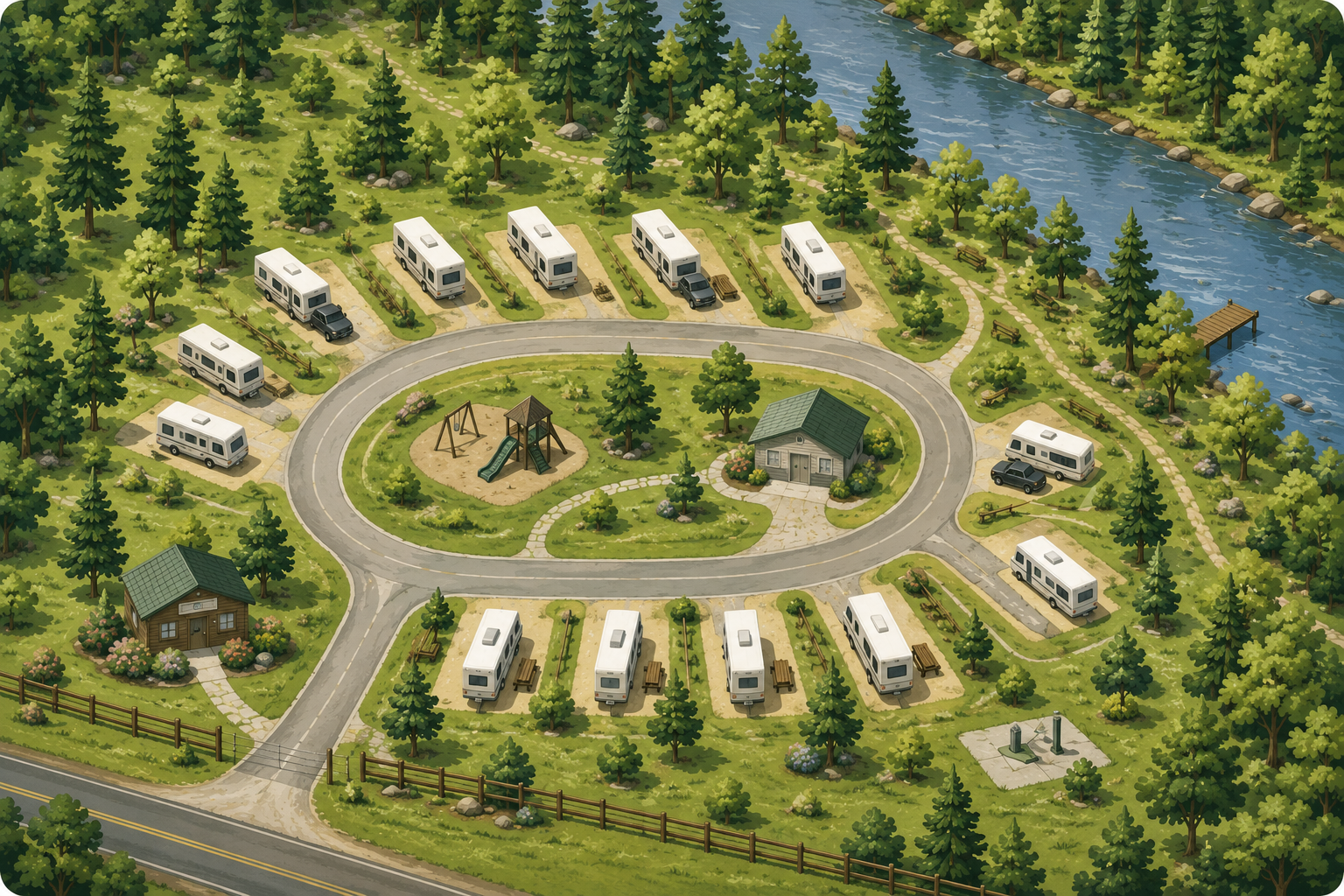
A campground map can be just as important as photography.
Your map should help guests understand the location of campsites, roads, restrooms, amenities, parking areas, entrances, and shared facilities. Make sure the map is easy to view on both desktop and mobile devices.
Videos and virtual tours can also be useful, but they should support clear photos and a detailed map rather than replace them.
5. Make Your Website Easy to Use on Mobile Devices
A campground website should work just as well on a phone as it does on a computer.
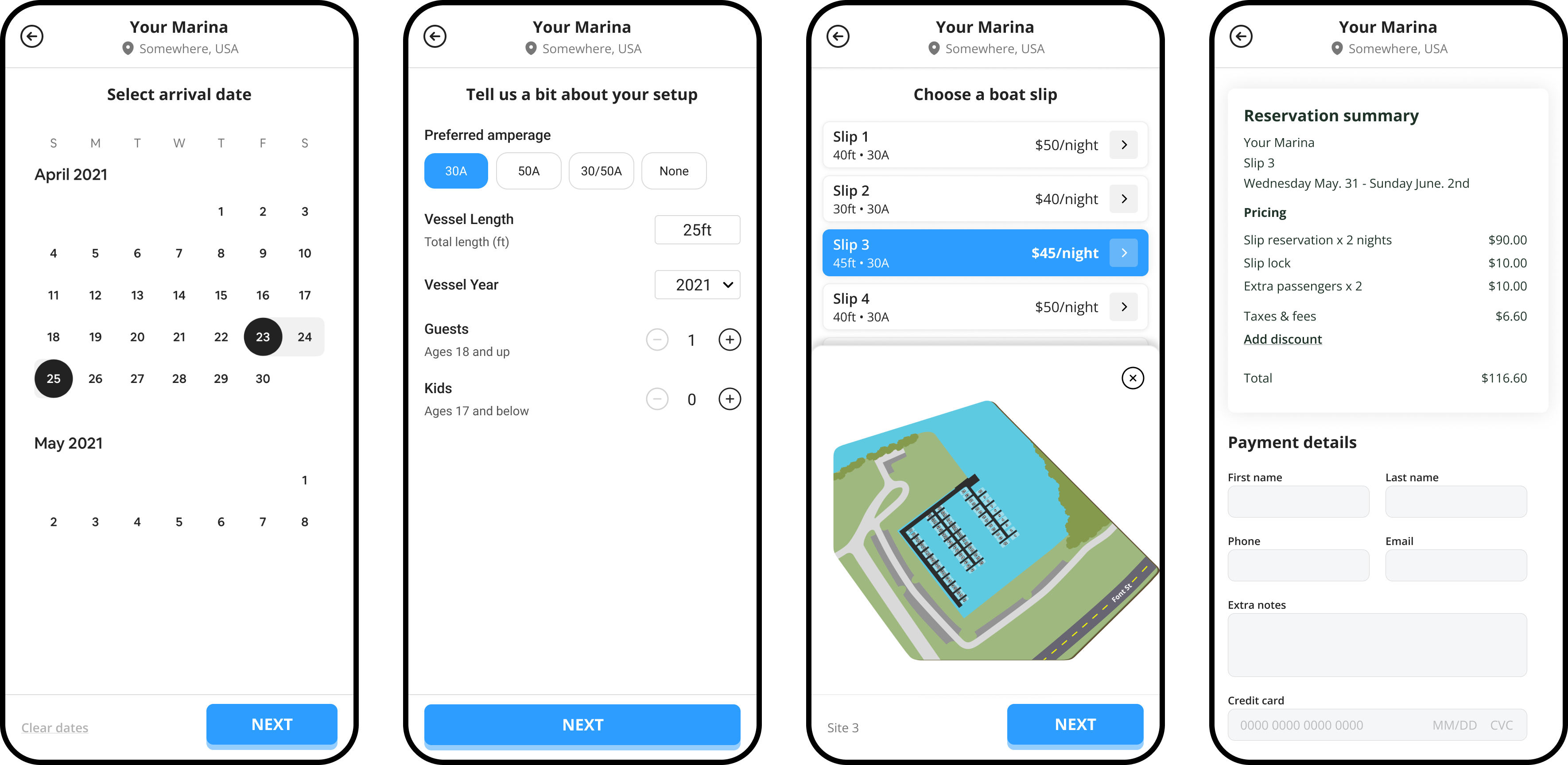
Visitors should be able to read your content, compare campsite options, view rates, use your map, and complete a reservation without zooming in or struggling with small buttons.
Review your website on a phone and check whether:
- The menu is easy to open
- Text is easy to read
- Buttons are large enough to select
- Phone numbers are clickable
- Rate tables fit the screen
- Photos load quickly
- Forms are easy to complete
- The booking process works properly
Large image files, complicated page designs, and unnecessary animations can slow your website down. Compress images and remove features that make the site harder to use.
6. Answer Common Guest Questions Before They Call
Clear website content can help guests feel confident about booking while saving your staff time.
Include answers to common questions about:
- Check in and check out times
- Cancellation and refund policies
- Pet rules
- Quiet hours
- Campfires
- Visitor policies
- WiFi and cell service
- RV and vehicle restrictions
- Accessibility
- Restrooms and laundry facilities
- Long term stays
- Group reservations
You can place important answers on relevant pages and create a separate frequently asked questions page for additional details.
Avoid hiding important policies until the final stage of booking. Guests should understand the main rules and costs before entering payment information.
7. Build Trust With Reviews and Clear Contact Information
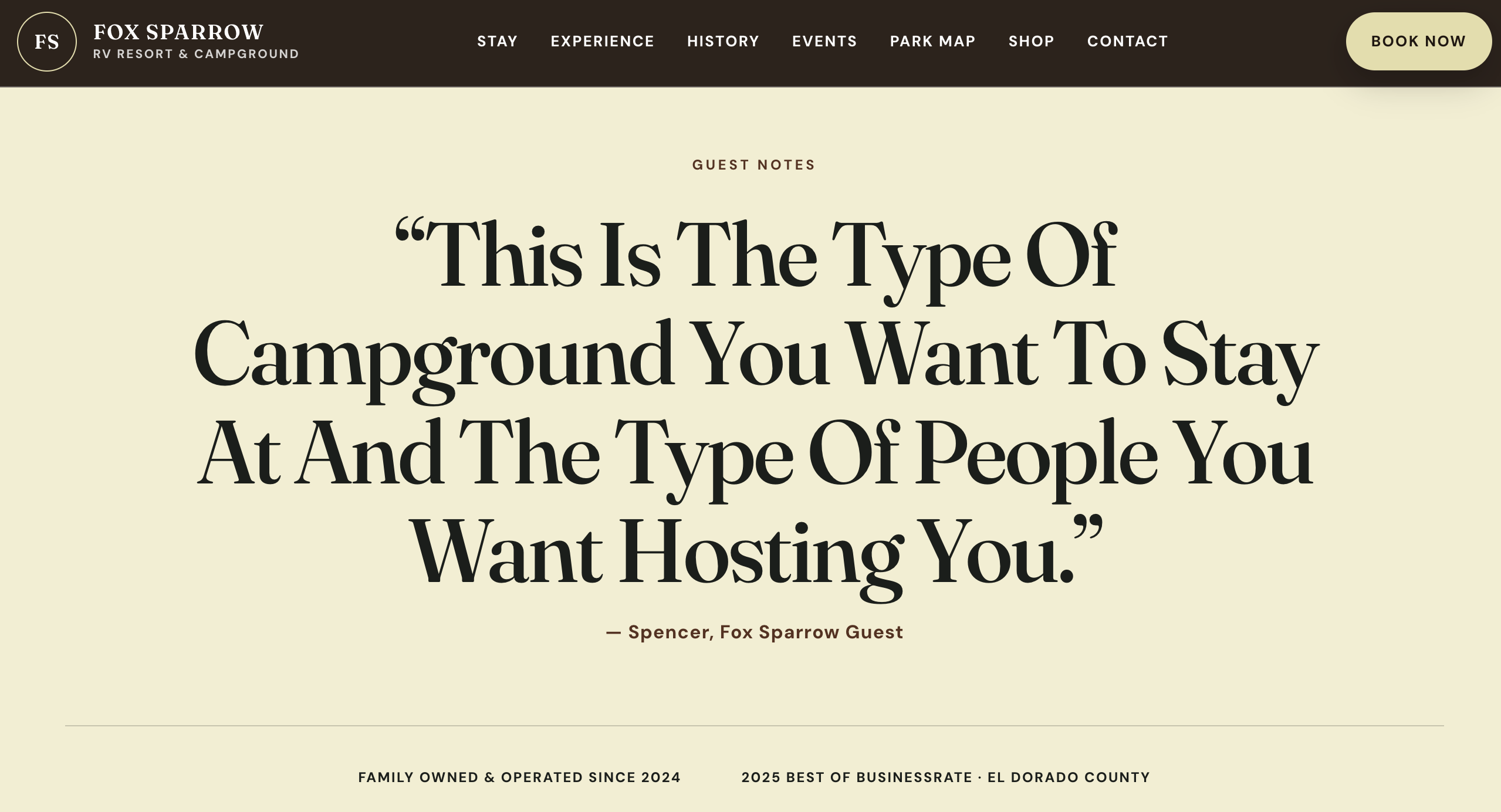
Guest reviews can help potential campers feel more confident about choosing your campground.
Include a selection of recent testimonials on your website and direct visitors to trusted review platforms where they can read additional feedback.
After a guest checks out, send a short follow up email thanking them for their stay and inviting them to leave an honest review. Include a direct link to make the process easy.
Do not offer discounts, gifts, or rewards in exchange for reviews.
Your contact information should also be visible throughout the website. Include your:
- Campground name
- Phone number
- Email address
- Physical address
- Office hours
- Directions
- Social media profiles
Visitors are more likely to trust a campground when they can easily identify who operates it and how to reach the team.
8. Optimize Your Campground Website for Local Search
A well designed website only works if potential guests can find it.
Search engine optimization can help your campground appear when travelers search for places to stay in your area.
Start by identifying phrases and doing keyword research for your campground that accurately describe your campground, location, accommodations, and amenities.
These may include:
- Campgrounds near your city or destination
- RV parks in your region
- Tent camping near a local attraction
- Cabin rentals in your area
- Pet friendly campgrounds
- Long term RV parks
- Campgrounds with full hookups
- Family campgrounds
- Campgrounds near national or state parks
Use relevant phrases naturally in your page titles, headings, body copy, image descriptions, and internal links.
Avoid repeating the same keyword unnaturally. Your content should still sound clear and helpful to campground owners and guests.
You can also improve local visibility by:
- Keeping your Google Business Profile updated
- Using the same campground name, address, and phone number across online listings
- Creating pages for each accommodation type
- Publishing guides to nearby attractions and activities
- Adding descriptive text to images
- Linking related pages together
- Earning links from tourism organizations and local businesses
- Keeping rates, policies, and amenities current
Local content can be especially valuable. A guide to hiking trails, restaurants, family activities, seasonal events, or nearby parks can help travelers plan their visit while introducing your campground to new audiences.
9. Track Which Pages and Features Generate Bookings
Website performance should not be measured by traffic alone.
Track the actions that show whether visitors are moving closer to a reservation.
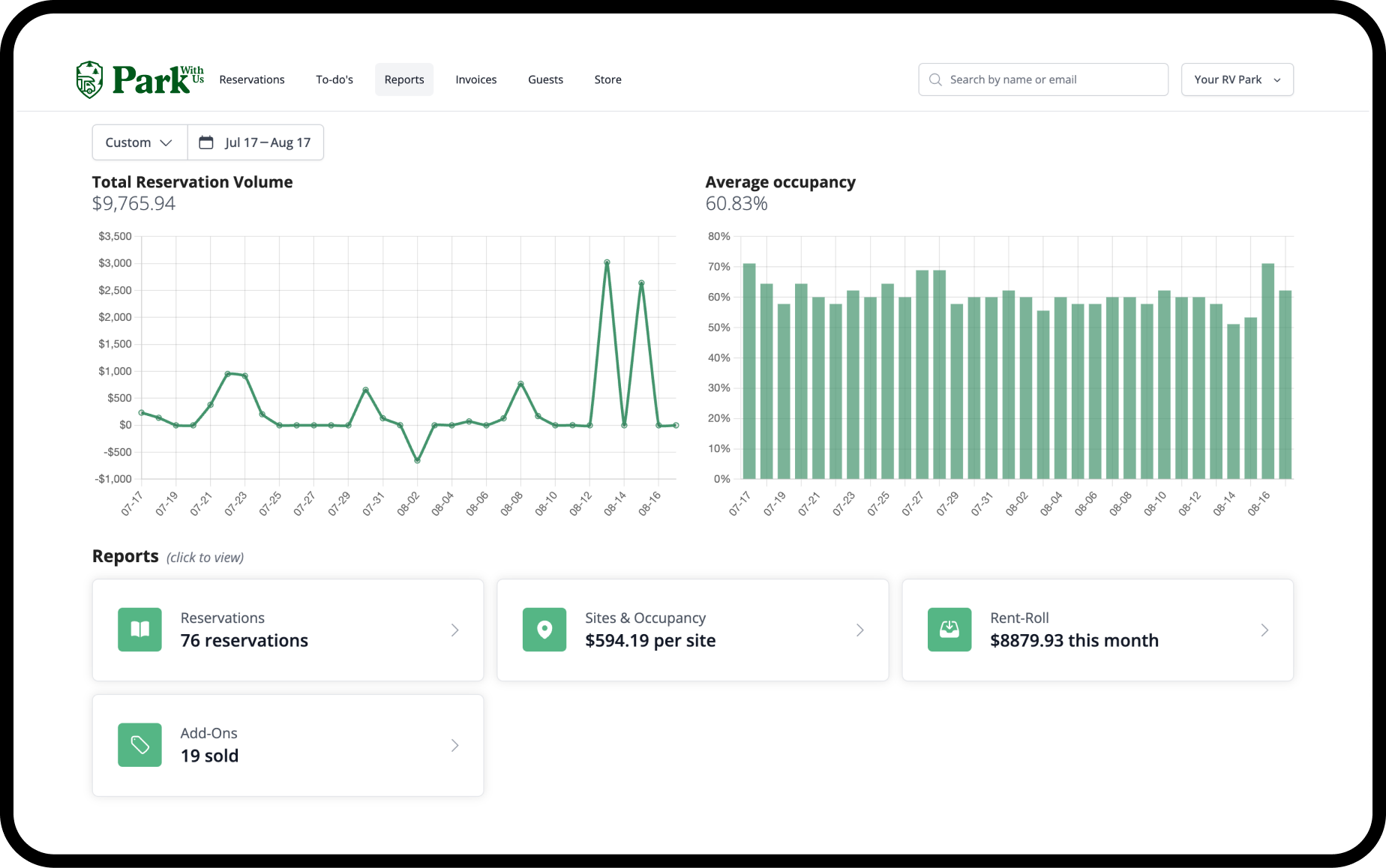
Useful measurements may include:
- Completed online reservations
- Booking button clicks
- Phone calls
- Contact form submissions
- Email inquiries
- Visits to rate pages
- Visits to accommodation pages
- Abandoned reservations
- Traffic from local search results
- Bookings from specific marketing campaigns
This information can help you understand which pages attract guests and where people leave the booking process.
For example, a page may receive plenty of traffic but generate few bookings because the rates are difficult to find or the next step is unclear.
Regularly reviewing this information can help you make practical website improvements.
Connect Your Website to Campground Management Software
Your website and campground management software should work together.
Guests should be able to move from learning about your campground to checking availability and completing a reservation without unnecessary steps.
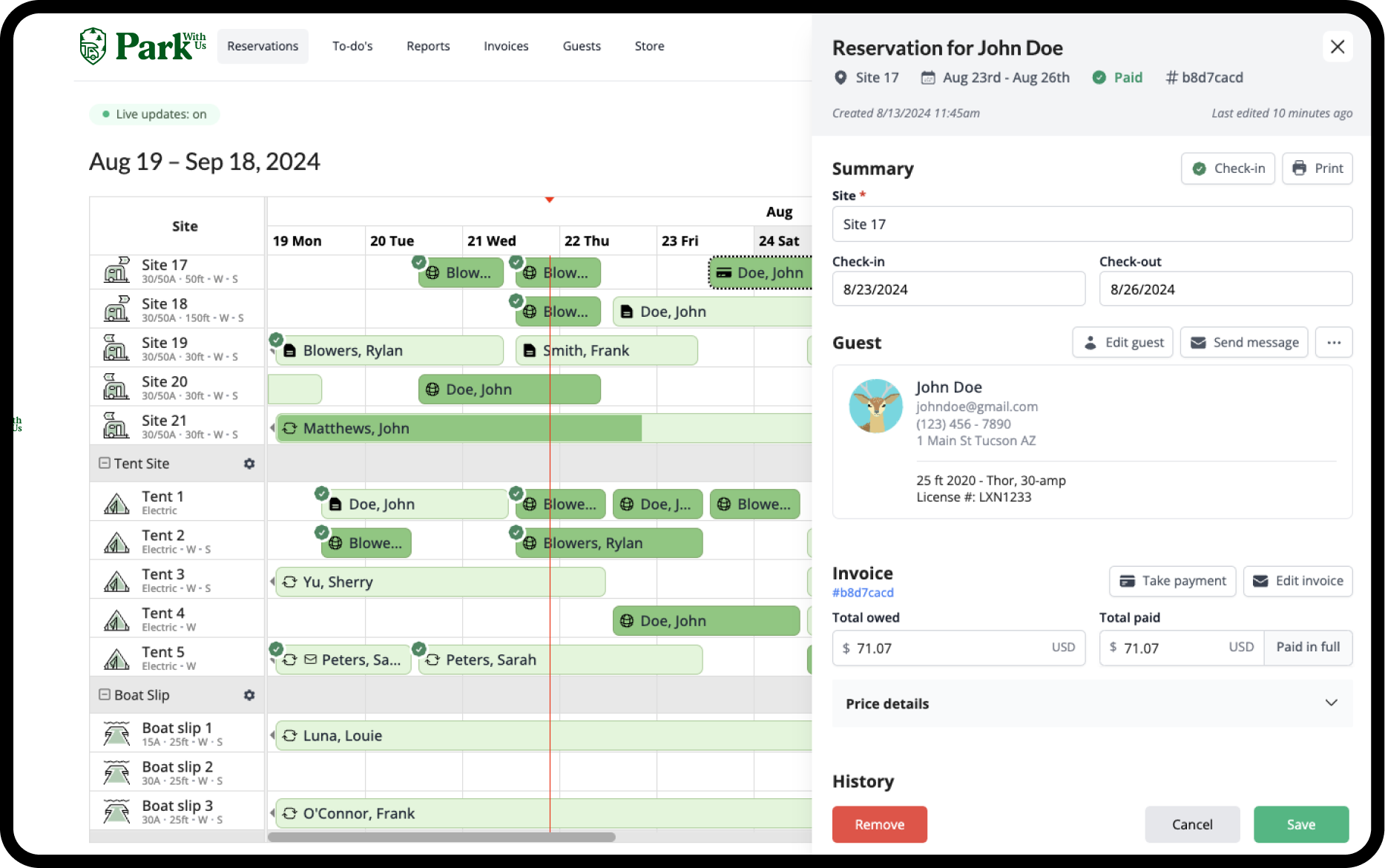
Behind the scenes, your team should be able to manage reservations, payments, guest details, campsite availability, and communication from one organized system.
Park With Us provides campground management and online booking tools for campgrounds and outdoor recreation businesses. You can connect the booking experience to your campground website while managing reservations, payments, and guest information in one place.
FAQ
Campground website design can affect bookings by making it easier or harder for guests to find information and complete a reservation. Clear rates, detailed campsite descriptions, visible booking buttons, real photos, and a simple mobile booking process can help more visitors become confirmed guests.
A campground website should usually include a home page, separate pages for each campsite or accommodation type, rates and availability, amenities, a campground map, policies, local attractions, frequently asked questions, contact information, and online booking.
Related Stories